
Smart Doorbells vs. Traditional Video Intercoms: What Changes When Your Door Goes Online

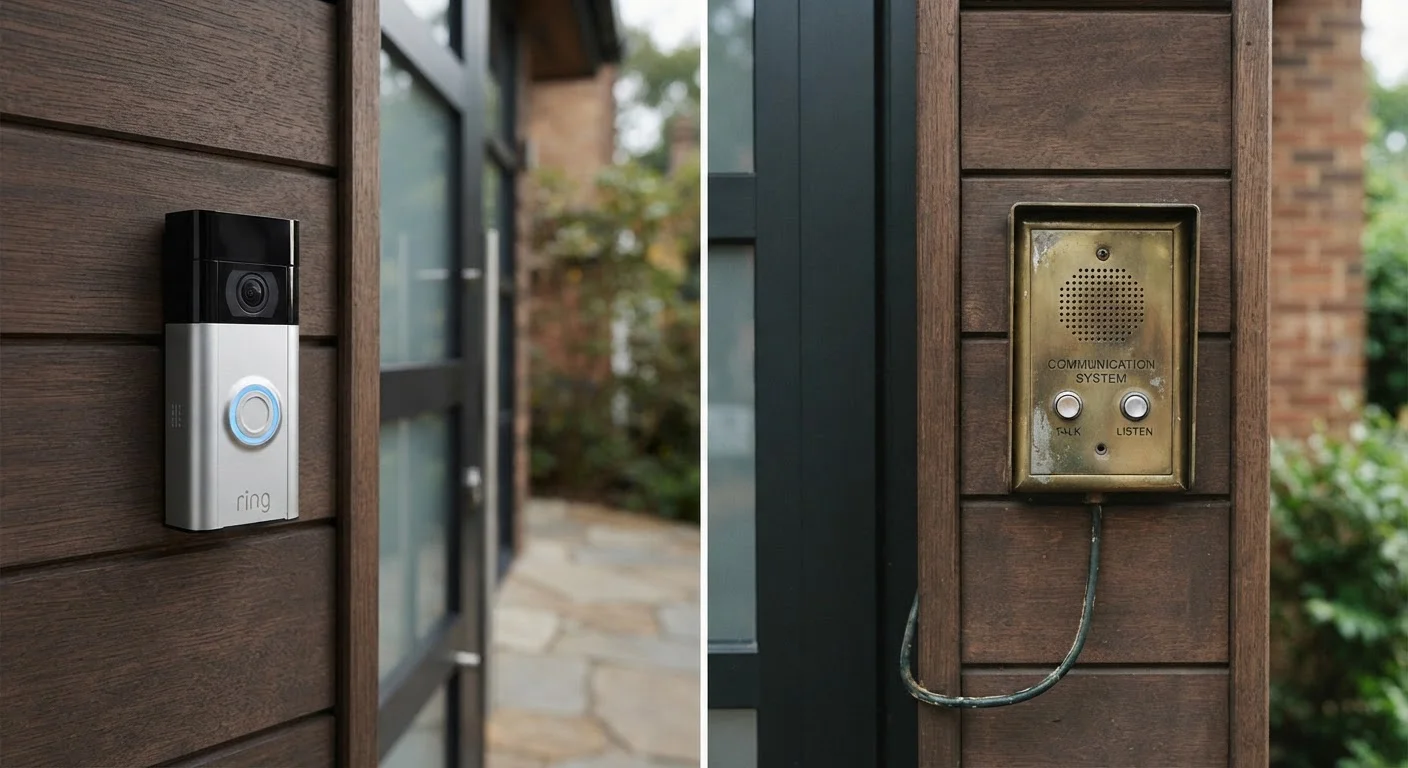
Photo: TheSearchHound.com | One Stop Answer To All Your Questions editorial
Key Takeaways
- Smart doorbells rely on your home Wi-Fi and cloud services; wired intercoms operate independently of the internet.
- Cloud video storage from smart doorbells typically requires an ongoing subscription fee to retain footage.
- Traditional intercoms store nothing off-site, which reduces privacy exposure but limits remote access.
- Smart doorbells are generally easier to install; wired intercoms usually require professional installation.
- Power requirements differ significantly - smart doorbells can run on batteries, intercoms need hardwired low-voltage circuits.
- Both systems can capture video, but smart doorbells usually offer superior image quality and smart features like motion zones.
How Each System Handles Video and Storage
The most consequential difference between smart doorbells and traditional video intercoms is what happens to the footage after it's captured.
Smart doorbells upload video clips - triggered by motion or a button press - to a cloud server managed by the manufacturer. Reviewing footage later requires an active internet connection and, in most cases, a paid subscription plan. Without a subscription, many models only show live video or retain clips for a very short window, sometimes as little as three hours.
Traditional wired video intercoms take a different approach. They display a live feed to an indoor monitor when the door unit is activated, and any recording is handled by local storage - typically an SD card or a dedicated DVR connected to the system. Nothing is transmitted externally. The trade-off is that you can only review footage from the premises, and storage capacity is physically limited by the hardware you install.
| Criterion | Smart Video Doorbells | Traditional Wired Video Intercoms |
|---|---|---|
| Internet dependency | Required for most features | Not required |
| Video storage | Cloud (subscription often needed) | Local SD card or DVR |
| Remote access | Yes, via smartphone app | Typically not available |
| Installation complexity | Low - DIY-friendly | High - usually professional |
| Power source | Battery or low-voltage wire | Hardwired low-voltage circuit |
| Ongoing cost | Subscription fee common | No subscription required |
| Data privacy exposure | Higher (off-site cloud storage) | Lower (on-premises only) |
| Multi-unit building support | Limited | Well-suited |
For households where video evidence of deliveries or visitor logs matters, both approaches can work - but the logistics of accessing that footage differ substantially.
Installation, Power, and Connectivity Requirements
Smart doorbells are engineered for consumer self-installation. Battery-powered models require no existing wiring and mount with just a few screws. Hardwired smart doorbells tap into a home's existing low-voltage doorbell transformer, which most American homes already have. Setup generally involves downloading an app, connecting to your Wi-Fi network, and adjusting motion sensitivity - a process that typically takes under an hour.
Wired video intercoms are a different proposition. Running low-voltage cabling between an outdoor door unit and an indoor monitor - or multiple monitors in larger homes - generally requires fishing wire through walls. For multi-family buildings, systems must be sized and configured by a licensed installer. The reliability payoff is significant: once installed, a wired intercom operates regardless of your internet status, router issues, or cloud service outages.
Check Local Codes Before Running New Wiring
Power source also shapes everyday experience. A smart doorbell running on batteries must be recharged periodically - typically every one to six months depending on usage and temperature. A hardwired system draws continuous low power and never needs recharging.
Privacy, Security, and Long-Term Costs
When a smart doorbell uploads footage to the cloud, that data is governed by the manufacturer's privacy policy, which can change over time. There have been documented instances of manufacturers sharing footage with third parties or law enforcement in response to requests - a practice that has drawn public attention and scrutiny. Consumers should read privacy disclosures carefully before committing to any cloud-connected camera system.
~40%
U.S. households with at least one smart home device
According to Statista consumer research estimates, smart home device adoption in U.S. households has grown steadily through the early 2020s, with video doorbells among the most common entry points.
No single standard
Cloud data retention policies across manufacturers
Privacy policies for smart doorbell cloud storage vary widely by brand and can be updated at the manufacturer's discretion, underscoring the importance of reviewing terms before purchasing.
Traditional intercoms sidestep this concern entirely by design. Video never leaves your property, and there is no manufacturer account to be compromised. The privacy model is structurally simpler.
On cost, the comparison is nuanced. Smart doorbells carry a lower upfront hardware cost but add recurring subscription fees for cloud storage - often ranging from roughly $30 to $100 or more per year. Wired intercoms have higher initial installation costs, particularly if new cabling is required, but carry no ongoing service fees once installed. Over a five-year window, the total cost of ownership can be comparable or even favor wired systems, depending on configuration.
Neither system is universally superior. The right fit depends on how you weight remote access, privacy, reliability, and willingness to manage ongoing subscriptions.
The content on this site is provided for informational purposes only and should not be considered a substitute for professional advice. While we strive to provide accurate and up-to-date information, we make no guarantees regarding its completeness or accuracy. Always consult a qualified professional for advice specific to your circumstances before making any decisions.