
The Anatomy of a Phishing Email Disguised as an Order Confirmation

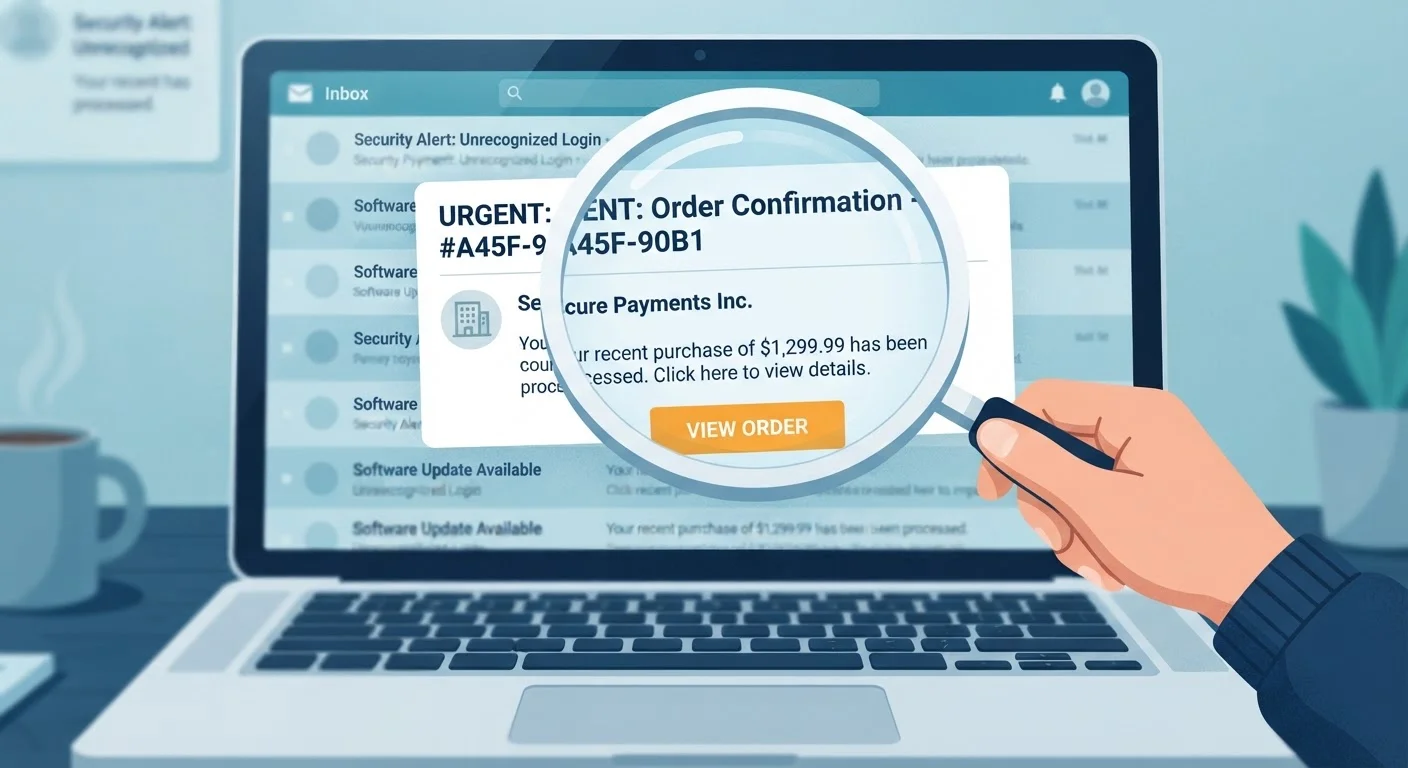
Photo: TheSearchHound.com | One Stop Answer To All Your Questions editorial
Key Takeaways
- Scammers replicate retailer email formatting closely, making fakes difficult to spot at a glance.
- The sender's actual email address - not just the display name - is one of the most reliable indicators of fraud.
- Legitimate retailers never ask you to confirm order details by clicking a link in an unsolicited email.
- Hovering over links before clicking reveals their true destination URL.
- If you didn't place an order, log in directly to the retailer's website rather than using any link in the email.
Why Order Confirmations Are a Favorite Phishing Vehicle
Order confirmation emails are routine and expected. Most online shoppers receive them multiple times a week, which means they're opened quickly, often without scrutiny. Scammers exploit exactly that habit. By mimicking a familiar format - a subject line like "Your order has shipped" or "Order #49281 confirmed" - fraudulent emails land in inboxes alongside legitimate receipts and blend right in.
The emotional lever here is twofold: familiarity and alarm. If you recognize the retailer name, you may open the email automatically. If the order is for something you didn't buy, panic sets in, and panic shortens the time you spend examining details before clicking. Understanding this psychological mechanism is the first line of defense.
These Attacks Are Widespread and Growing
The Tell-Tale Signs Hidden in Plain Sight
Phishing emails mimicking order confirmations share several structural weaknesses, even when the visual design is convincing:
- Sender address vs. display name: The display name may read "Amazon Customer Service," but the actual sending address might be something like
no-reply@amaz0n-orders.net. Always expand the sender field to see the real address. - Lookalike domains: Fraudsters register domains that closely resemble real ones - swapping letters, adding hyphens, or using country-code suffixes. A domain like
walmart-support.cois not Walmart's domain. - Generic greetings: Legitimate retailers typically address you by the name on your account. "Dear Valued Customer" or "Hello, user" is a red flag in what should be a personalized transaction record.
- Mismatched or obscured links: Hover your cursor over any link without clicking - the destination URL will appear in your browser's status bar or as a tooltip. If that URL doesn't match the retailer's actual domain, don't click.
- Requests for sensitive action: Real order confirmations don't ask you to verify payment information, re-enter your password, or call a number to confirm your identity. Any such request is a strong indicator of fraud.
For a broader look at how to evaluate unfamiliar sellers before a transaction, see how to size up a seller before you buy.
Use Your Account Portal as Your Source of Truth
What a Legitimate Order Confirmation Actually Contains
Knowing what a real confirmation looks like makes spotting a fake more intuitive. A genuine order confirmation from a reputable retailer typically includes: your full name as it appears on the account, a specific order number, an itemized list of purchased products with prices, your shipping address (partially masked for security), an estimated delivery date, and a link to track the order - pointing to the retailer's actual domain.
Critically, legitimate confirmations are records, not requests. They do not ask you to do anything beyond reviewing the details. If an email that presents itself as a confirmation is also asking you to take an action - especially one involving credentials or payment - treat it with immediate suspicion.
It's also worth knowing that scam infrastructure doesn't stop at email. Counterfeit and scam listings on shopping platforms are often connected to the same networks running phishing campaigns, sometimes harvesting contact details from fraudulent purchases to follow up with fake confirmation emails.
What to Do When You Receive a Suspicious Confirmation
The safest response to an unexpected or suspicious order confirmation is to not interact with the email at all. Instead, open a new browser tab, navigate directly to the retailer's website by typing its address, and log into your account. From there, check your order history. If no corresponding order exists, the email is almost certainly fraudulent.
Report the phishing attempt to the company being impersonated - most major retailers have a dedicated email address for this (often phishing@.com or reportascam@.com). You can also report it to the Anti-Phishing Working Group at reportphishing@apwg.org, or forward it to the FTC at spam@uce.gov.
If you did click a link or enter information, act quickly: change your passwords, check your payment accounts for unauthorized activity, and consider placing a fraud alert with the major credit bureaus. For guidance on distinguishing trustworthy sites from risky ones once you've navigated somewhere, signals that a website is legitimate offers practical markers to look for.
Over 298,000
Phishing complaints filed with the FBI in a single year
According to the FBI's 2023 Internet Crime Report, phishing was the most reported cybercrime category in the United States.
~3.4 billion
Phishing emails sent globally per day
Security researchers at AAG IT Services estimated this figure based on industry threat intelligence data, reflecting the industrial scale of phishing operations.
Frequently Asked Questions
The content on this site is provided for informational purposes only and should not be considered a substitute for professional advice. While we strive to provide accurate and up-to-date information, we make no guarantees regarding its completeness or accuracy. Always consult a qualified professional for advice specific to your circumstances before making any decisions.