
Whole-Home Wi-Fi Systems vs. Traditional Routers: Coverage, Cost, and Complexity

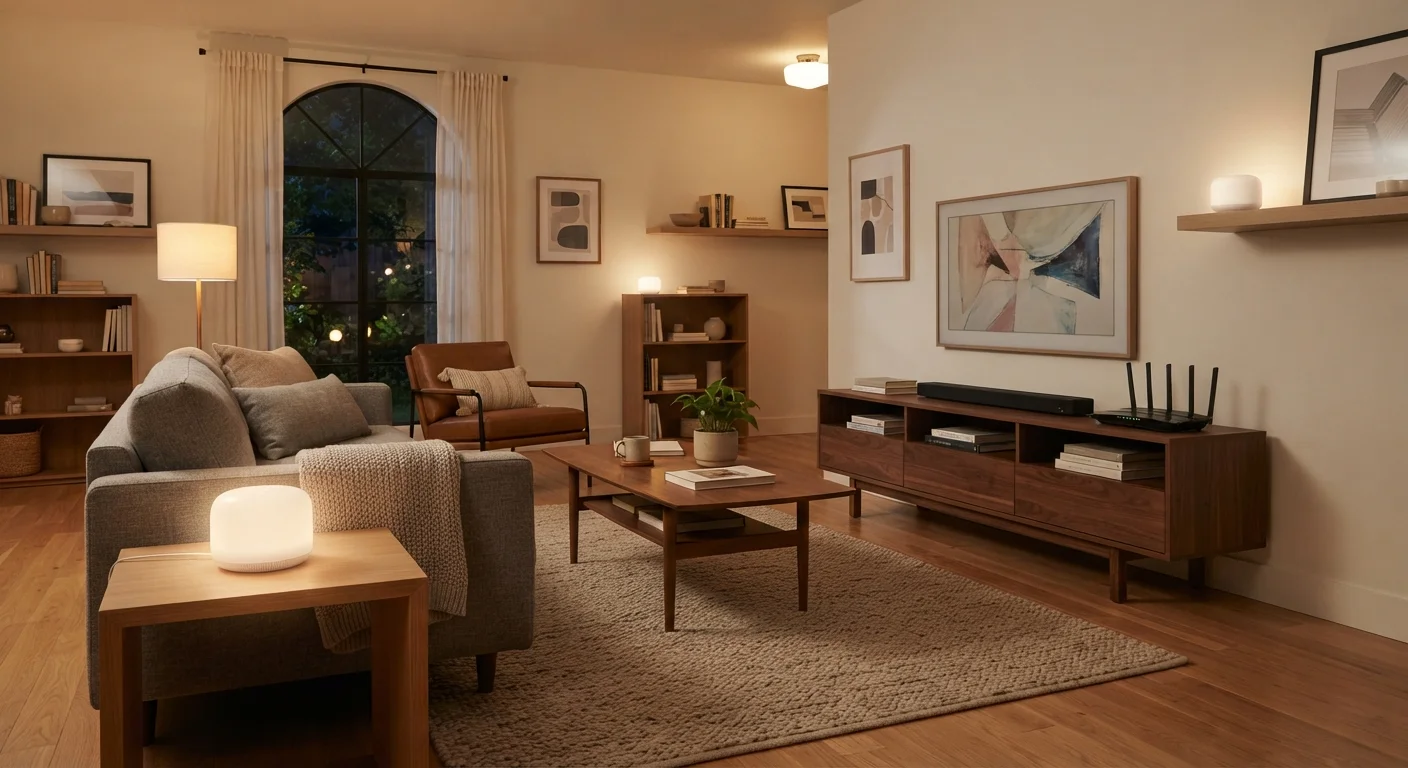
Photo: TheSearchHound.com | One Stop Answer To All Your Questions editorial
Key Takeaways
- Mesh systems use multiple nodes to eliminate dead zones, while traditional routers broadcast from one central point.
- Mesh systems generally cost more upfront and involve more configuration than a standard router.
- A traditional router is often sufficient for homes under 1,500 square feet with open floor plans.
- Mesh networks handle device handoffs automatically, making them better for homes with many connected devices.
- Both approaches benefit from being paired with a quality modem - renting vs. owning that equipment is a separate decision worth evaluating.
- Your home's layout, square footage, and device count are the most reliable guides to which system you need.
How Each System Works
A traditional router connects to your modem and broadcasts a single wireless signal from one location. Its reach depends on transmit power, antenna design, and what stands between the router and your devices - walls, floors, appliances, and interference all reduce effective range. For many homes, a well-positioned router is perfectly adequate. But physics imposes hard limits on what any single device can cover.
A whole-home mesh Wi-Fi system replaces that single broadcast point with a coordinated network of nodes - typically two to four units placed around the home. Each node communicates with the others, and your devices connect to whichever node offers the strongest signal. Unlike older Wi-Fi extenders (which create separate network names and can introduce lag), mesh systems present one unified network and hand off devices seamlessly as you move through the home.
For a broader look at how wireless protocols interact with home devices, see our guide to Wi-Fi, Zigbee, and Z-Wave.
| Criterion | Mesh Wi-Fi System | Traditional Router |
|---|---|---|
| Coverage area | Large homes, multiple floors | Small to medium, single floor |
| Upfront cost | Higher (multi-node kit) | Lower (single device) |
| Setup complexity | App-guided, multiple units | Single device, quick setup |
| Dead zone elimination | Designed for this | Limited by single broadcast |
| Device roaming | Seamless, automatic handoff | Manual or no handoff |
| Advanced settings | Limited on many consumer models | More granular control available |
| Ongoing maintenance | Multiple nodes to update | Single device to maintain |
Coverage, Cost, and Complexity Compared
Coverage is where mesh systems have the clearest advantage. A single router broadcasting from a corner of the home - or a closet where the ISP installed it - struggles to serve rooms on the far side of thick walls or an upper floor. Mesh nodes placed in hallways or adjacent rooms close that gap considerably. If you've already tried repositioning your router and still face dead zones, our article on extending Wi-Fi in large or oddly shaped homes walks through additional approaches.
Cost is a meaningful factor. A capable traditional router can be purchased for a fraction of the price of a two- or three-node mesh kit. Mesh systems carry a higher upfront cost - and ongoing costs if you choose a subscription-based management service, which some manufacturers offer. It's worth noting that the modem itself is a separate piece of equipment; understanding whether to rent or buy it is its own decision, covered in our guide to renting vs. owning your router and modem.
Complexity cuts both ways. Mesh systems are designed for consumer ease - setup typically involves a smartphone app and little technical knowledge. However, managing multiple nodes, firmware updates, and troubleshooting connectivity across several units is inherently more involved than maintaining one device. Traditional routers, especially consumer-grade models, are straightforward to configure via a web browser or app and have fewer moving parts to maintain.
~1,500 sq ft
Typical single-router effective range indoors
Indoor range varies significantly based on wall materials, interference, and router placement - open floor plans achieve notably better results.
25+
Average connected devices per U.S. household
According to Deloitte's Digital Media Trends survey, average connected device counts in U.S. households have risen sharply alongside smart home adoption.
2-4 nodes
Typical mesh system node count
Most consumer mesh kits ship with two to three nodes; additional nodes can typically be purchased separately to extend coverage further.
Which Setup Makes Sense for Your Home?
The right choice depends on three practical factors: square footage, home layout, and connected device count. A home under roughly 1,500 square feet with an open floor plan and modest device use is typically well-served by a quality single router positioned centrally. Larger homes - particularly multi-story layouts or those with brick, concrete, or stucco construction - benefit meaningfully from the distributed coverage a mesh system provides.
Device count matters more than many buyers expect. As smart home ecosystems grow - thermostats, cameras, locks, lighting, streaming sticks, and more - the demand placed on a single router increases. Mesh systems are generally better equipped to distribute that load. If you're building out a connected home, the Smart Home Tech hub has practical guidance on connected device planning.
One practical note: if your internet plan itself is the bottleneck - whether due to plan speed, ISP infrastructure, or your connection type - upgrading your router or adding mesh nodes won't resolve the underlying limitation. That's as true for fiber users as it is for those on satellite internet connections. Evaluate your connection first, then your hardware.
The content on this site is provided for informational purposes only and should not be considered a substitute for professional advice. While we strive to provide accurate and up-to-date information, we make no guarantees regarding its completeness or accuracy. Always consult a qualified professional for advice specific to your circumstances before making any decisions.