
Renting vs. Owning Your Home Router and Modem

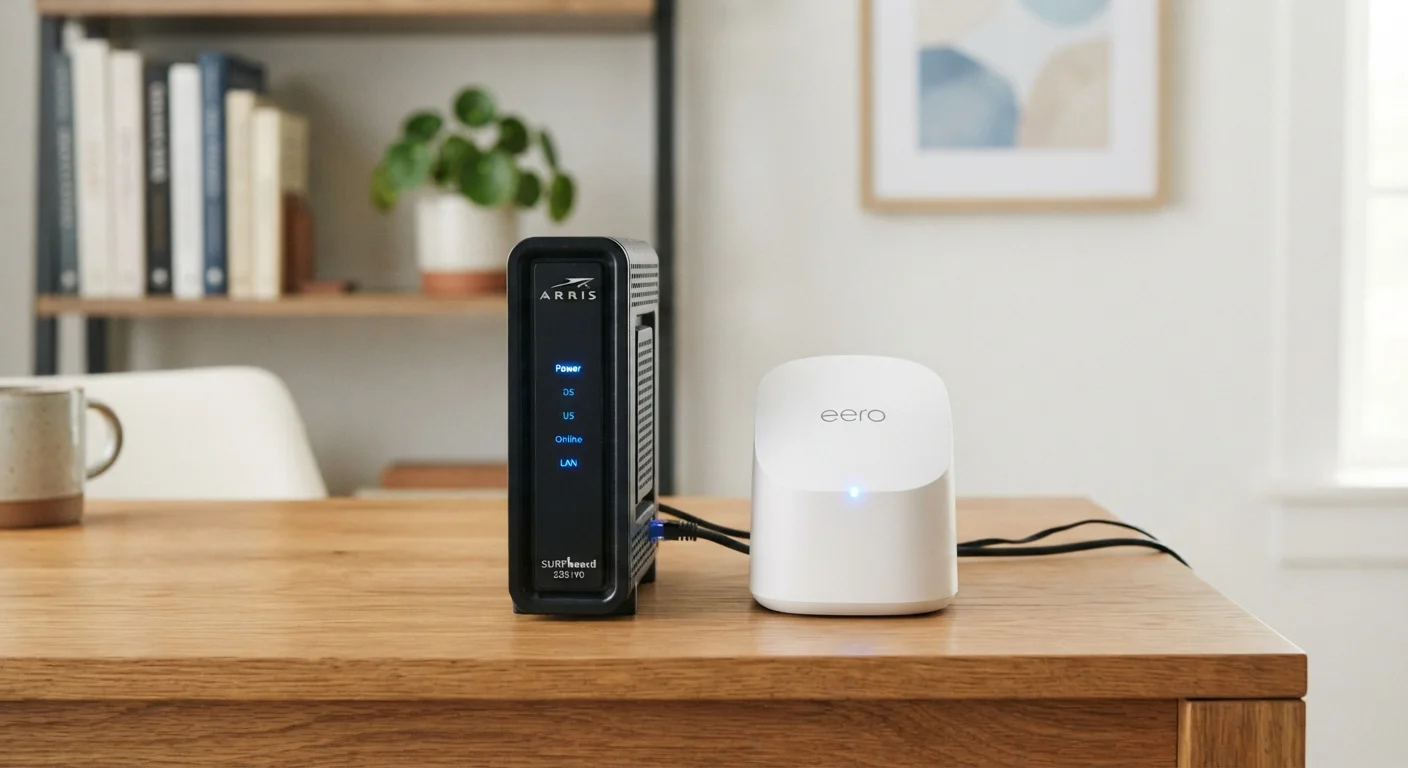
Photo: TheSearchHound.com | One Stop Answer To All Your Questions editorial
Key Takeaways
- ISPs typically charge $10-$20 per month to rent a modem or router, adding up to hundreds of dollars over a few years.
- Buying your own equipment can pay for itself within 12-24 months and gives you more control over performance.
- Rented equipment includes tech support and automatic replacement, which has real value for less tech-savvy households.
- Not all ISPs support customer-owned equipment - verify compatibility before purchasing anything.
- Fiber internet plans from some providers require proprietary equipment that cannot be replaced with third-party devices.
No upfront hardware cost
Renting requires no initial outlay - ideal for those on a tight budget at sign-up. The monthly fee is absorbed into the existing internet bill.
Included tech support and replacement
If rented equipment malfunctions, the ISP typically replaces it and provides troubleshooting assistance as part of the rental arrangement.
Automatic equipment updates over time
Some ISPs replace older rented equipment with newer models during upgrades, keeping hardware reasonably current without additional cost to the customer.
Ownership breaks even within two years
A one-time purchase of compatible equipment commonly recoups its cost in 12-24 months compared to ongoing monthly rental fees.
Greater control over performance and features
Consumer-purchased routers often offer stronger Wi-Fi coverage, guest network options, parental controls, and firmware update flexibility not available in ISP-supplied units.
No recurring rental fee
Once the device is paid off, there are no additional monthly equipment charges - a meaningful long-term saving over the life of the hardware.
Upfront purchase cost
Buying a compatible modem and router typically requires $100-$250 paid at once, which may not suit every household's immediate budget.
Compatibility research required
Not every device works with every ISP or service tier. Buyers must verify their modem is on the provider's approved list before purchasing.
No built-in tech support for hardware issues
If a purchased device fails, the owner is responsible for diagnosing, replacing, and bearing the cost of new hardware - the ISP typically will not assist.
Rental fees compound indefinitely
Unlike a fixed purchase price, rental fees continue every month for as long as you subscribe, with no equity or asset to show at the end.
ISP equipment may underperform consumer alternatives
Gateway devices supplied by providers are selected for mass deployment rather than peak performance, and may lag behind consumer-grade hardware in speed or range.
Some providers restrict third-party equipment entirely
Certain fiber and fixed wireless providers use proprietary hardware that customers cannot legally or technically replace with their own device.
What You're Actually Paying For
When you sign up for home internet service, most providers - cable, DSL, and some fiber - offer to rent you a modem, router, or combined gateway device. The monthly equipment fee is easy to overlook on a bill, but it compounds quickly. At a common rate of $15 per month, that's $180 per year and $540 over three years - paid indefinitely, with nothing to show for it at the end.
Understanding the distinction between devices matters before making any decision. A modem connects your home to the ISP's network, while a router distributes that connection wirelessly to your devices. Many ISPs supply a combined unit called a gateway. For a deeper breakdown of each device's role, see Modem, Router, Gateway: What Each Device Does and Why It Matters.
No upfront hardware cost
Renting requires no initial outlay - ideal for those on a tight budget at sign-up. The monthly fee is absorbed into the existing internet bill.
Included tech support and replacement
If rented equipment malfunctions, the ISP typically replaces it and provides troubleshooting assistance as part of the rental arrangement.
Automatic equipment updates over time
Some ISPs replace older rented equipment with newer models during upgrades, keeping hardware reasonably current without additional cost to the customer.
Ownership breaks even within two years
A one-time purchase of compatible equipment commonly recoups its cost in 12-24 months compared to ongoing monthly rental fees.
Greater control over performance and features
Consumer-purchased routers often offer stronger Wi-Fi coverage, guest network options, parental controls, and firmware update flexibility not available in ISP-supplied units.
No recurring rental fee
Once the device is paid off, there are no additional monthly equipment charges - a meaningful long-term saving over the life of the hardware.
The Case Against Renting: Why Ownership Often Wins Financially
Purchasing a compatible modem and router outright typically costs between $100 and $250 combined - a one-time expense that breaks even against rental fees within one to two years. After that point, you're paying nothing extra for the same hardware your ISP would otherwise charge you monthly to use.
Ownership also puts you in charge of hardware quality. ISP-supplied equipment is chosen with mass deployment in mind, not optimized performance. A consumer-grade router purchased separately may offer stronger Wi-Fi coverage, better security features, and more configuration options. If you're weighing mesh systems for larger homes, the comparison at Whole-Home Wi-Fi Systems vs. Traditional Routers walks through the trade-offs in detail.
Upfront purchase cost
Buying a compatible modem and router typically requires $100-$250 paid at once, which may not suit every household's immediate budget.
Compatibility research required
Not every device works with every ISP or service tier. Buyers must verify their modem is on the provider's approved list before purchasing.
No built-in tech support for hardware issues
If a purchased device fails, the owner is responsible for diagnosing, replacing, and bearing the cost of new hardware - the ISP typically will not assist.
Rental fees compound indefinitely
Unlike a fixed purchase price, rental fees continue every month for as long as you subscribe, with no equity or asset to show at the end.
ISP equipment may underperform consumer alternatives
Gateway devices supplied by providers are selected for mass deployment rather than peak performance, and may lag behind consumer-grade hardware in speed or range.
Some providers restrict third-party equipment entirely
Certain fiber and fixed wireless providers use proprietary hardware that customers cannot legally or technically replace with their own device.
When Renting Makes Practical Sense
Despite the long-term cost disadvantage, renting isn't the wrong answer for every household. ISP-supplied equipment typically comes with included technical support - if the device fails, the provider replaces it at no additional charge and may troubleshoot remotely. For someone who doesn't want to research compatibility, configure router settings, or diagnose hardware problems, that convenience has genuine value.
Renters who move frequently also benefit from not carrying equipment between addresses, since a new ISP may not support the hardware you already own. Similarly, some fiber providers use proprietary equipment that cannot be substituted with third-party devices, making the rent-or-buy decision moot in those cases. If you're planning a provider switch, Switching Internet Providers Without Disrupting Your Household covers how to manage the transition, including equipment considerations.
Fiber Internet: A Special Case
What to Check Before You Buy
Compatibility is the single most important factor when considering third-party equipment. ISPs publish approved device lists - verifying your chosen modem is on that list before purchasing is essential, since using an unsupported device can result in degraded service or a provider refusing to assist with troubleshooting.
$168-$240
Typical annual cost of ISP equipment rental
At common rental rates of $14-$20 per month, households can spend over $200 annually on equipment they do not own.
12-24 months
Average payback period for purchased equipment
Based on typical rental rates and device purchase costs, consumer-owned equipment generally breaks even within one to two years of use.
Your internet connection type matters too. Cable internet is generally the most flexible for third-party hardware. DSL and fixed wireless services have more limited options. Fiber from major providers often bundles proprietary equipment that isn't replaceable. Comparing your connection type's characteristics can help clarify what latitude you actually have - Fiber vs. Cable Internet: Which Delivers More for Most Households offers a practical side-by-side look.
The content on this site is provided for informational purposes only and should not be considered a substitute for professional advice. While we strive to provide accurate and up-to-date information, we make no guarantees regarding its completeness or accuracy. Always consult a qualified professional for advice specific to your circumstances before making any decisions.