
Common Wi-Fi Myths That Are Worth Unlearning

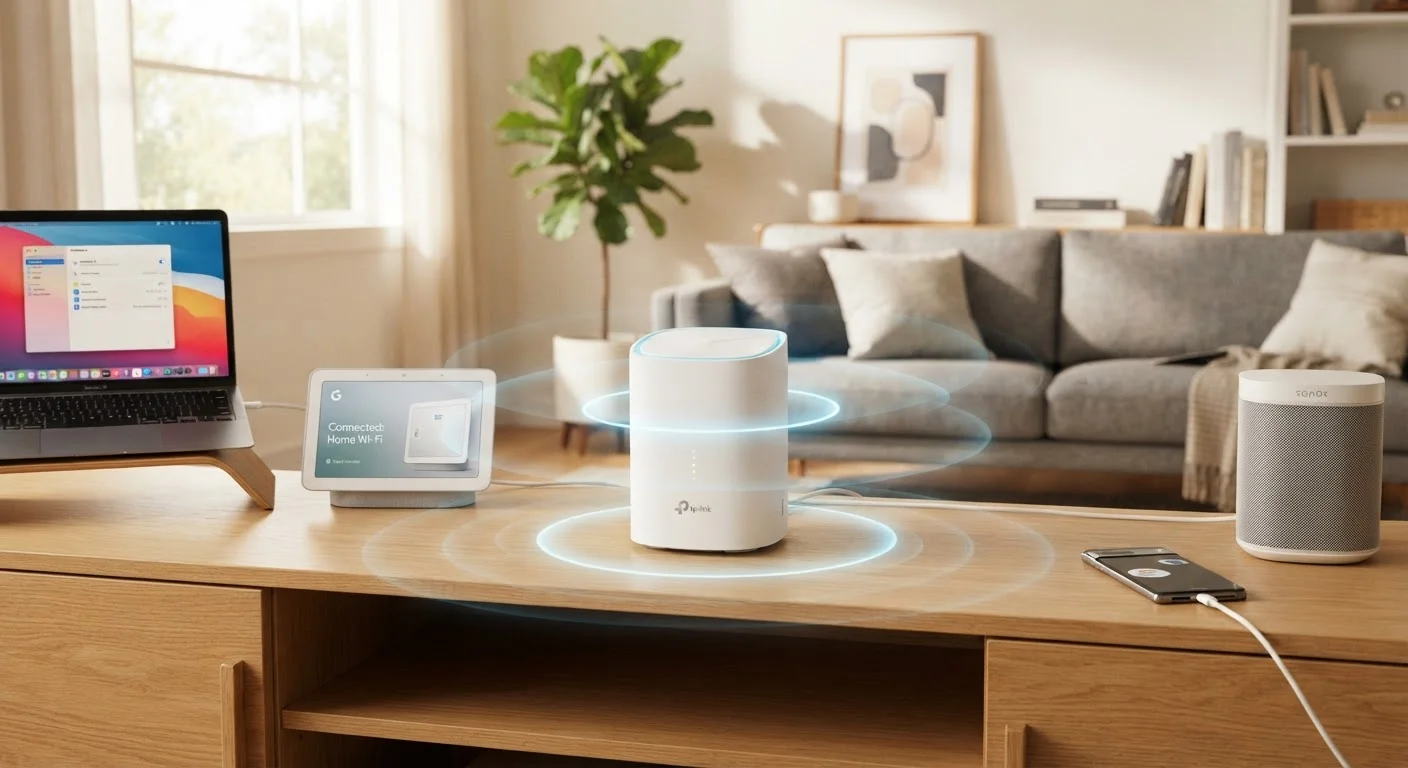
Photo: TheSearchHound.com | One Stop Answer To All Your Questions editorial
Key Takeaways
- More signal bars don't always mean faster or more reliable internet speeds.
- Rebooting your router occasionally can help, but it's not a cure for underlying network problems.
- Walls and interference sources affect 2.4 GHz and 5 GHz bands very differently.
- Range extenders and mesh systems are not the same thing - and the difference matters.
- A higher-priced router won't improve speeds beyond what your internet plan delivers.
Why Wi-Fi Myths Persist
Wi-Fi is invisible, and most people only notice it when something goes wrong. That combination - invisibility plus frustration - creates fertile ground for folk wisdom that spreads faster than accurate information. Some of these myths are decades old, born when wireless networking was genuinely simpler. Others are fed by marketing language that overpromises and under-explains.
The result is that many households make decisions about router placement, equipment upgrades, and network settings based on assumptions that don't hold up. Understanding where the evidence actually points helps you troubleshoot smarter and spend money more wisely. For a closer look at overlooked factors that genuinely drag down performance, see things that quietly slow down your home Wi-Fi.
Myth
More signal bars on your device mean you're getting faster internet.
Fact
Signal bars indicate connection strength between your device and router, not the speed of your internet connection.
The bars on your phone or laptop measure radio signal strength - essentially how well your device is "hearing" the router. But your actual internet speed depends on your internet service plan, the load on the network, server conditions, and dozens of other factors unrelated to that local signal. You can have full bars and still experience slow speeds if your ISP plan is limited or the network is congested. The two metrics measure entirely different things.
Myth
Restarting your router regularly will keep your internet running faster.
Fact
Occasional reboots can clear temporary glitches, but they do not improve underlying performance or fix structural network problems.
Rebooting clears a router's short-term memory and can resolve temporary issues like IP address conflicts or software hangs. However, if your network is slow due to poor router placement, interference from neighboring networks, or an underpowered device, reboots won't address any of those causes. Treating reboots as routine maintenance is a workaround, not a solution - and frequent reboots may signal a hardware or configuration problem worth investigating properly.
Myth
5 GHz Wi-Fi is always better than 2.4 GHz - you should use it exclusively.
Fact
The two bands serve different purposes: 5 GHz offers higher speeds at close range, while 2.4 GHz carries signal farther and penetrates walls more effectively.
The 5 GHz band can deliver faster speeds and is less congested in dense environments, but its shorter wavelength means it loses strength more quickly over distance and struggles through solid obstacles like concrete walls. The 2.4 GHz band is slower but more resilient across distance and physical barriers. A smart network uses both - 5 GHz for devices that are close to the router and bandwidth-intensive, 2.4 GHz for devices that are farther away or behind walls. Many modern routers handle this automatically through a feature called band steering.
Myth
A Wi-Fi range extender is the same as a mesh network node.
Fact
Range extenders repeat an existing signal and typically cut usable bandwidth in half; mesh nodes communicate differently and generally maintain more consistent speeds throughout a home.
A traditional range extender receives the router's signal and rebroadcasts it - a process that, on most single-radio extenders, effectively halves the available bandwidth because the device uses the same radio to receive and transmit. Mesh systems use dedicated backhaul channels or wired connections between nodes, which avoids that bottleneck. They also tend to hand off devices more smoothly as you move through your home. Extenders can be a reasonable low-cost option for small coverage gaps, but they are architecturally different from mesh systems and often underperform them in larger spaces.
Myth
Upgrading to a more expensive router will make your internet faster.
Fact
A router cannot deliver speeds beyond what your ISP plan provides; upgrading hardware only helps if your current router is the limiting factor.
Your router manages traffic between your devices and your modem, but the modem connects to your ISP, and that connection is capped by your subscription plan. If your plan provides 200 Mbps and your router can handle 1,000 Mbps, the router is not your bottleneck - your plan is. Upgrading the router in this situation will not increase your speeds. Where router upgrades genuinely help: handling many simultaneous connected devices, supporting newer Wi-Fi standards like Wi-Fi 6 for compatible devices, or replacing aging hardware that has become a true performance ceiling.
Myth
Hiding your Wi-Fi network name (SSID) makes it significantly more secure.
Fact
Hiding your SSID provides minimal security benefit and can actually make your devices less secure when they're away from home.
A hidden network name is not truly hidden - the network still broadcasts beacon frames, and freely available tools can detect it within seconds. Meanwhile, devices configured to find a hidden network actively broadcast that network name while searching for it, which can expose the name in public locations. Genuine Wi-Fi security comes from strong encryption (WPA3 or WPA2), a complex and unique password, and keeping router firmware updated - not from concealing the network name.
What These Corrections Mean for Your Home Network
Correcting these myths doesn't just satisfy curiosity - it changes how you approach real problems. Instead of rebooting a router that has a fundamentally poor placement, you reposition it. Instead of buying a range extender that will bottleneck your speeds, you investigate a mesh system or a wired access point. Instead of assuming more bars means better performance, you check what your plan actually delivers at the modem.
~30%
of U.S. households report persistent Wi-Fi dead zones
According to a Parks Associates report on broadband quality, a significant share of connected households experience coverage gaps despite having active service.
2.4 GHz
band used by most smart home devices by default
Most smart home sensors, bulbs, and plugs operate on 2.4 GHz due to its greater range, which is why that band often becomes congested in device-dense homes.
50%
typical bandwidth loss from single-radio range extenders
Networking engineers broadly document that traditional single-radio repeaters halve usable throughput because they share one radio for both receiving and retransmitting traffic.
Router hardware does matter, but primarily in relation to the number and type of devices you connect. A household running two laptops and a phone has different demands than one with thirty smart home devices, streaming TVs, and gaming consoles. The right equipment matches your actual usage, not a marketing spec sheet. If you're weighing that decision, whole-home Wi-Fi systems versus traditional routers breaks down how to think through coverage, cost, and complexity honestly.
For homes with dead zones or unusual layouts, the solutions are more nuanced than simply buying a signal booster. Practical ways to extend Wi-Fi coverage in a large or oddly shaped home covers approaches that are grounded in how radio signals actually behave. And if you're adding smart devices to your network, understanding how Wi-Fi interacts with other wireless protocols can prevent unexpected conflicts - Wi-Fi, Zigbee, and Z-Wave compared is a useful starting point.
The content on this site is provided for informational purposes only and should not be considered a substitute for professional advice. While we strive to provide accurate and up-to-date information, we make no guarantees regarding its completeness or accuracy. Always consult a qualified professional for advice specific to your circumstances before making any decisions.