
Internet Speed Numbers Demystified: Mbps, Gbps, Latency, and What You Actually Need

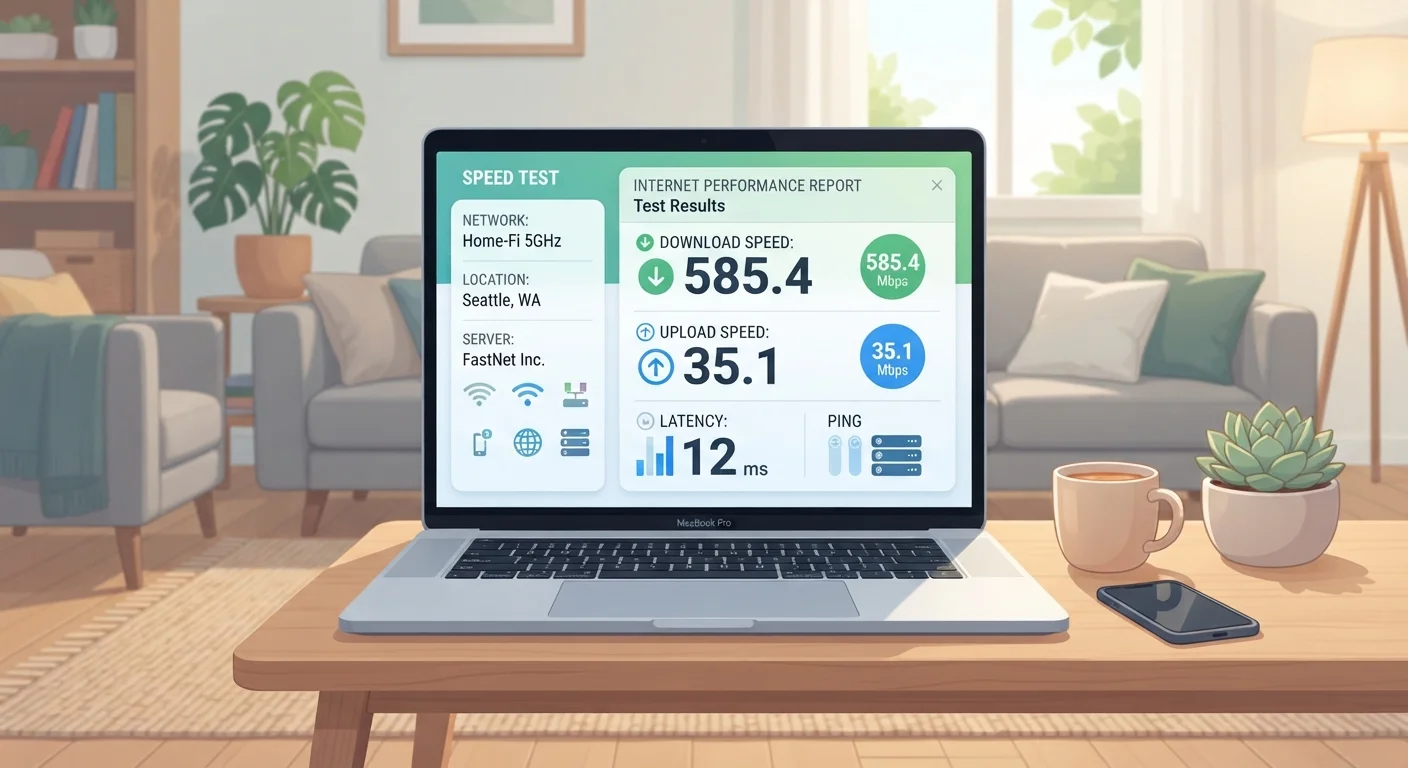
Photo: TheSearchHound.com | One Stop Answer To All Your Questions editorial
Key Takeaways
- Download speed governs how fast content arrives at your devices; upload speed affects what you send out.
- Latency measures delay, not speed - low latency matters most for gaming and video calls.
- 1 Gbps equals 1,000 Mbps; marketing headlines often use Gbps to make plans sound faster.
- Most households of 2-4 people stream and work comfortably on 100-200 Mbps download speeds.
- A plan's advertised speed is typically the maximum, not the guaranteed everyday experience.
Download Speed, Upload Speed, and Why Both Count
When you look at an internet plan, the first number you see is almost always the download speed. This measures how fast data travels from the internet to your devices - loading a webpage, streaming a movie, pulling up a video call. Download speed is the primary driver of how smooth everyday browsing feels.
Upload speed works in the opposite direction: data traveling from your devices to the internet. Sending an email attachment, joining a video call where others see your camera, backing up photos to the cloud, or sharing large files with a colleague all consume upload bandwidth. Most home internet plans are asymmetric, meaning download speeds are significantly higher than upload speeds - a design choice rooted in the assumption that most households consume more than they send.
That assumption holds for casual users, but remote workers, video creators, and households with multiple simultaneous video calls may find slow upload speeds a real-world frustration. If upload performance matters to you, pay close attention to that number - not just the headline download figure. Fiber connections tend to offer more balanced upload and download speeds compared to cable, which is worth considering if your household uploads frequently.
Check Both Download and Upload Before Signing Up
Mbps vs. Gbps: Translating the Units
Mbps stands for megabits per second. Gbps stands for gigabits per second. The relationship is straightforward: 1 Gbps equals 1,000 Mbps. Providers increasingly advertise gigabit plans, partly because the number sounds impressively large - but for most households, the difference between 500 Mbps and 1 Gbps is rarely noticeable in daily use.
A common source of confusion is the difference between bits and bytes. Internet speeds use bits (lowercase b in Mbps), while file sizes use bytes (uppercase B in MB or GB). Since there are 8 bits in a byte, a 100 Mbps connection can theoretically download about 12.5 megabytes of a file every second. This explains why a download progress bar in your browser might show speeds in MB/s that look much lower than your plan's Mbps rating - they're measuring the same thing in different units.
1,000 Mbps
Equals 1 Gbps - the gigabit benchmark
Providers often advertise gigabit plans, but 1 Gbps and 1,000 Mbps describe the exact same speed threshold.
~5-8 Mbps
Bandwidth for a single HD stream
Streaming services such as Netflix and YouTube cite approximately 5-8 Mbps as the recommended minimum for 1080p HD playback per stream.
12.5 MB/s
File download rate on a 100 Mbps plan
Because there are 8 bits in a byte, 100 Mbps of bandwidth translates to roughly 12.5 megabytes per second of actual file transfer.
Understanding the difference between connection type and speed specifications is also useful. For a deeper look at how different technologies deliver these speeds under real-world conditions, see our guide on fiber, cable, DSL, and fixed wireless connections.
Latency: The Often-Overlooked Number
Speed tells you how much data can flow. Latency tells you how long it takes for a signal to make a round trip between your device and a server. Measured in milliseconds (ms), latency is sometimes called ping - a term borrowed from sonar. A lower number is always better.
For most browsing and streaming, latency is nearly invisible as long as it stays below roughly 100 ms. But for activities where timing is critical - online gaming, video conferencing, stock trading, or remote desktop work - even modest latency spikes become noticeable. In a fast-paced multiplayer game, a 20 ms latency feels instantaneous; 150 ms can mean the difference between winning and losing a moment of action.
Latency is influenced by the physical distance your data must travel, the type of connection technology used, and network congestion. Satellite internet, for instance, has historically struggled with high latency because signals must travel tens of thousands of miles to orbit and back - even if raw throughput speeds are reasonable. Fiber and cable connections typically achieve much lower latency by keeping signals on local ground-level infrastructure.
Advertised Speed vs. Real-World Speed
What Speed Does Your Household Actually Need?
The right speed for your household depends on how many people are online simultaneously and what they're doing. Here's a practical way to think about it:
- Basic browsing and email: 10-25 Mbps download is generally sufficient for one or two users doing light tasks.
- HD video streaming: A single 1080p stream typically uses around 5-8 Mbps. Four simultaneous streams might use 20-35 Mbps.
- 4K streaming: Each 4K stream can require 15-25 Mbps, so multiple 4K-capable TVs add up quickly.
- Video conferencing: Standard video calls generally need 3-5 Mbps in each direction. High-definition calls or group calls require more.
- Remote work with large file transfers: Depends heavily on file sizes, but a baseline of 50+ Mbps upload helps avoid bottlenecks.
- Online gaming: Games don't require enormous bandwidth - typically 3-10 Mbps - but they are very sensitive to latency and consistency.
A household of three to four people doing a mix of all of the above at the same time will generally find 100-200 Mbps download comfortable. Heavier usage patterns or more people push that figure higher. Keep in mind that the advertised plan speed is a ceiling, not a guarantee - actual delivered speeds vary based on your equipment, network congestion, and connection type. Understanding your home hardware also plays a role: see our overview of what modems, routers, and gateways do to make sure your devices aren't the bottleneck.
Frequently Asked Questions
The content on this site is provided for informational purposes only and should not be considered a substitute for professional advice. While we strive to provide accurate and up-to-date information, we make no guarantees regarding its completeness or accuracy. Always consult a qualified professional for advice specific to your circumstances before making any decisions.