
Fiber, Cable, DSL, and Fixed Wireless: What Sets Each Connection Apart

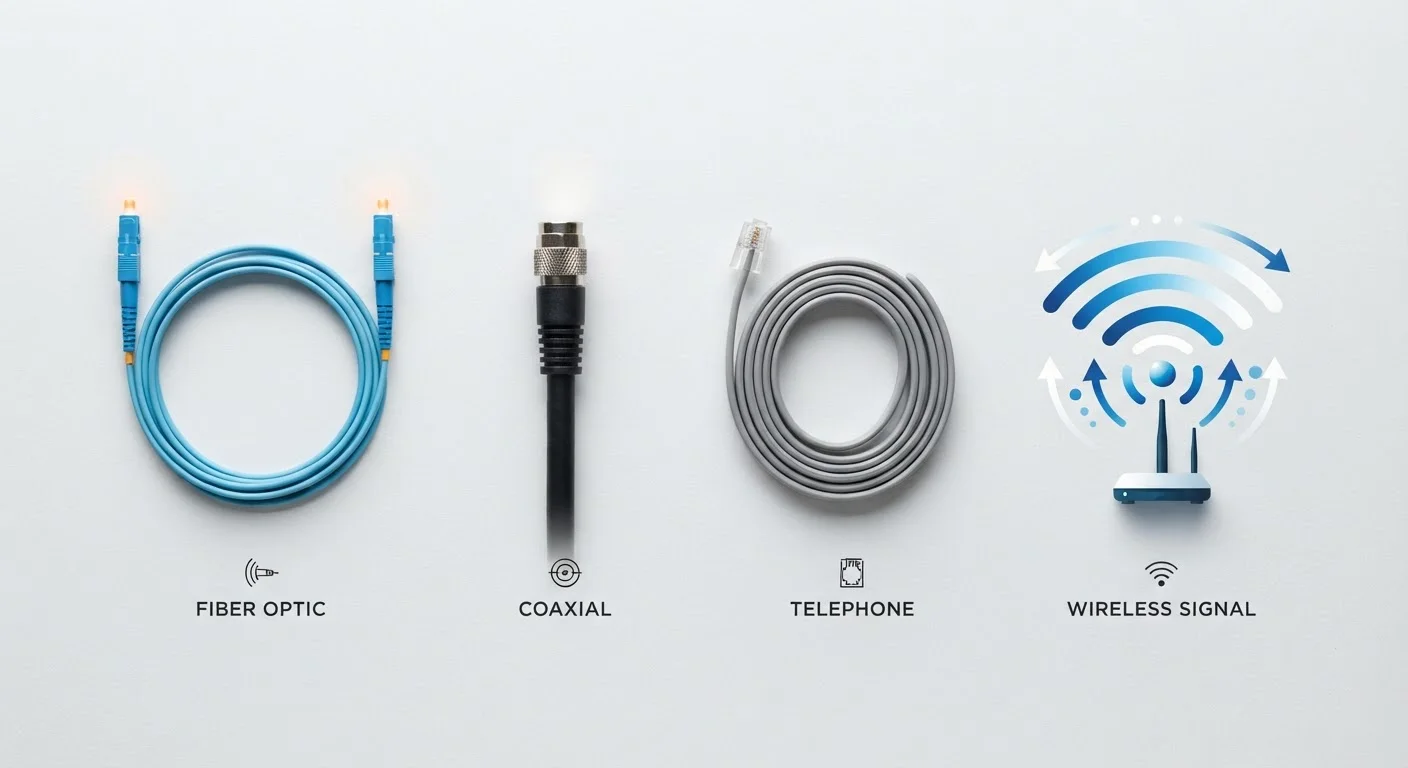
Photo: TheSearchHound.com | One Stop Answer To All Your Questions editorial
Key Takeaways
- Fiber uses light pulses through glass strands and generally offers the most consistent speeds and lowest latency.
- Cable internet shares bandwidth among neighborhood users, which can cause slowdowns during peak evening hours.
- DSL runs over phone lines and is widely available but typically limited to modest speeds.
- Fixed wireless delivers internet via radio signals from a nearby tower, requiring line-of-sight and clear conditions.
- Availability - not just performance specs - often determines which technology a household can realistically access.
How Each Technology Moves Data
Home internet connections differ in the physical medium they use to carry data - and that difference shapes nearly every aspect of your experience. For a broader foundation on how broadband works, see Home Internet Explained.
Fiber optic cables carry data as pulses of light through thin glass or plastic strands. Because light travels without significant signal degradation over long distances, fiber is capable of symmetrical speeds - meaning upload and download rates that are equal or close to equal. That symmetry matters for video calls, cloud uploads, and remote work.
Cable internet runs over coaxial cables originally built for television signals. It uses a shared-network architecture, meaning your line connects to a node that serves multiple households in your area. Speeds can be high, but they are typically asymmetrical - download speeds are much faster than uploads - and congestion during peak hours can affect performance.
DSL (Digital Subscriber Line) uses existing copper telephone wiring. It delivers a dedicated connection to each address, but speed is highly sensitive to the distance between your home and the provider's nearest central office. The farther you are, the weaker the signal and the lower your practical speed.
Fixed wireless transmits internet via radio signals from a ground-based tower to a receiver installed at your home. It requires a relatively clear line of sight to the tower and can be affected by weather, terrain, and foliage. For context on how wireless network generations relate to this technology, see our guide to 5G, LTE, and 4G.
Speed, Latency, and Reliability Compared
Understanding performance differences requires looking beyond advertised download speeds. Latency - the time it takes data to make a round trip - affects gaming, video calls, and real-time applications just as much as raw throughput. For a full explanation of these metrics, see Internet Speed Numbers Demystified.
| Fiber | Cable | DSL | Fixed Wireless | |
|---|---|---|---|---|
| Typical Download Speed Range | 100 Mbps - 5 Gbps | 25 Mbps - 1.2 Gbps | 1 Mbps - 100 Mbps | 25 Mbps - 300 Mbps |
| Upload Speed | Symmetrical or near-symmetrical | Much slower than download | Slower than download | Moderate, varies by provider |
| Typical Latency | Very low (1-10 ms) | Low to moderate (10-30 ms) | Moderate (25-50 ms) | Moderate (10-50 ms) |
| Congestion Sensitivity | Low | Can be high at peak hours | Low (dedicated line) | Moderate, varies by tower load |
| Geographic Availability | Growing, mostly urban/suburban | Broad urban/suburban coverage | Very broad, including rural | Rural and underserved areas |
| Weather/Interference Sensitivity | Very low | Low | Low | Moderate to high |
Fiber consistently delivers low latency and high reliability because its infrastructure is less prone to electromagnetic interference and signal loss. Cable performs well under normal conditions but latency and speeds can vary during congested periods. DSL latency is moderate but speeds degrade with distance in ways that fiber and cable do not. Fixed wireless latency falls between cable and DSL under good conditions, but weather and obstructions can introduce variability.
Availability and Infrastructure Realities
Performance specs mean little if a technology isn't available at your address. Fiber build-out has accelerated in many metro areas but remains limited in rural and some suburban markets. Cable infrastructure is extensive across urban and suburban America but absent in many rural regions. DSL reaches a broader geographic footprint than cable because telephone lines are widespread, though speeds may be modest. Fixed wireless has emerged as an important option in rural areas where laying cable or fiber is not economically viable.
Check Your Address Before Assuming Coverage
The Federal Communications Commission's broadband map and individual state broadband offices publish coverage data by address, which can help households understand what technologies are technically available to them. Availability at the street level can differ from what a provider's general coverage map suggests.
For households with affordability concerns, internet access programs for lower-income households may help offset the cost of a plan once a suitable technology is identified.
Choosing Based on Your Household's Actual Needs
The right connection type depends on what your household actually does online and what's realistically available at your address. A single-person household using email and streaming has different needs than a family with multiple simultaneous video calls, remote workers, and connected devices.
If fiber is available and within budget, it tends to offer the most headroom for current and future demands - particularly for upload-intensive tasks. Cable is a capable alternative for most households and is far more widely deployed than fiber. DSL may adequately serve lighter internet users even with modest speeds, though households with multiple simultaneous users or high-definition streaming may find it limiting. Fixed wireless can be a genuine solution in areas with no wired options, though it helps to understand the line-of-sight requirements before committing.
For a direct look at how two of the leading technologies compare in real-world conditions, see Fiber vs. Cable Internet. And if you're sorting out the hardware that sits between your connection and your devices, Modem, Router, Gateway breaks down what each piece of equipment does.
~25%
U.S. homes passed by fiber infrastructure
Fiber availability has grown substantially but still reaches roughly one in four U.S. homes, according to FCC broadband data.
42%
Rural Americans lacking fixed broadband access
FCC reporting has indicated that tens of millions of rural residents lack access to broadband at federally defined minimum speeds.
The content on this site is provided for informational purposes only and should not be considered a substitute for professional advice. While we strive to provide accurate and up-to-date information, we make no guarantees regarding its completeness or accuracy. Always consult a qualified professional for advice specific to your circumstances before making any decisions.