
Phone Storage, RAM, and Processors: What Specs Actually Matter for Everyday Use

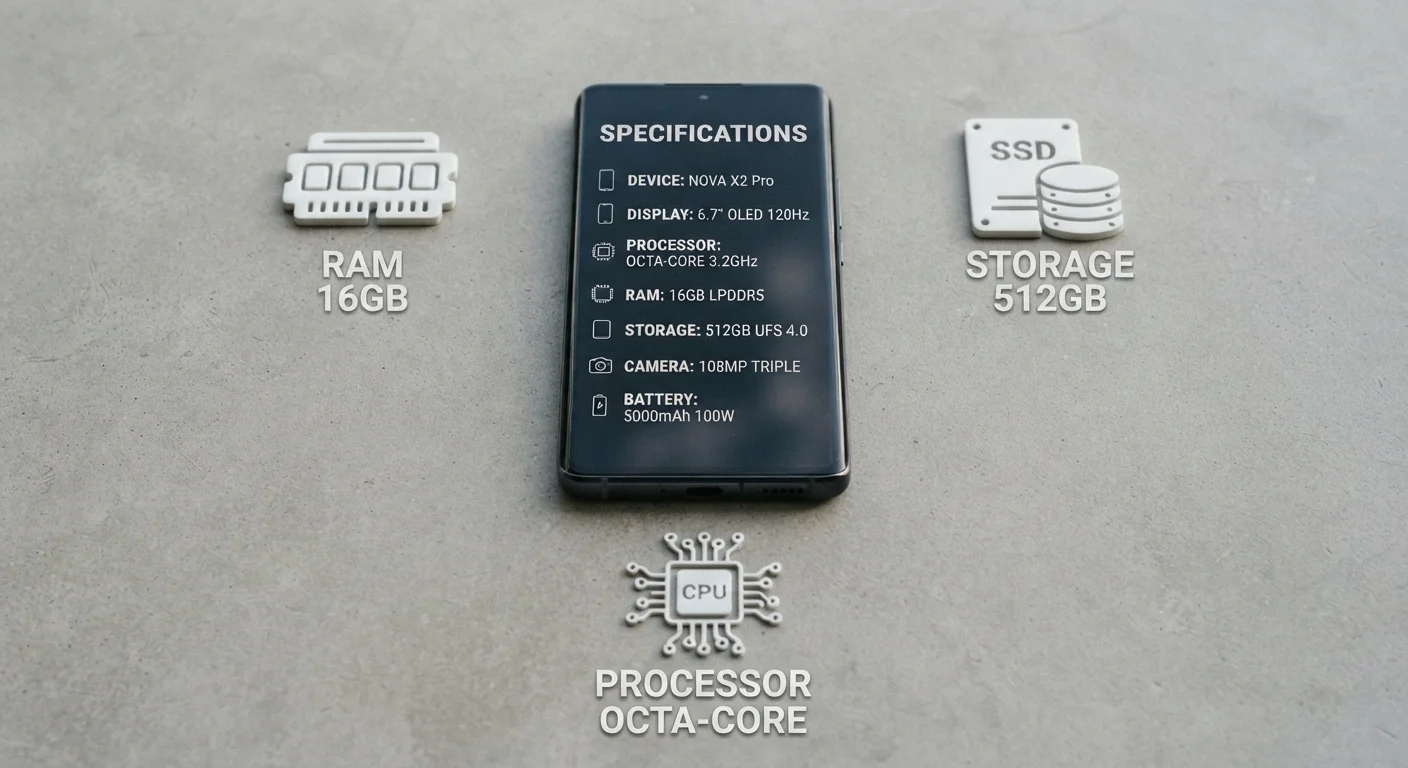
Photo: TheSearchHound.com | One Stop Answer To All Your Questions editorial
Key Takeaways
- Storage capacity determines how many photos, apps, and files your phone can hold locally.
- RAM affects how smoothly your phone switches between open apps without reloading them.
- A processor's efficiency matters as much as its raw speed for battery life and everyday feel.
- Higher spec numbers don't always translate to a noticeably better experience for typical use.
- Matching specs to your actual habits - not marketing claims - leads to smarter device choices.
Why Spec Sheets Can Be Misleading
When you compare phones online, you're usually greeted with a wall of numbers: gigabytes of storage, gigabytes of RAM, gigahertz clock speeds, core counts. Manufacturers present these figures as objective proof of quality - but bigger numbers don't automatically mean a better phone for you.
Spec sheets reflect what a phone is capable of in ideal conditions. They don't tell you how well the software harnesses that hardware, how the device holds up after a year of use, or whether those capabilities match your actual daily habits. Understanding what each spec does - and what it doesn't - is the foundation of a smarter phone decision.
Storage
The permanent memory on your phone that holds apps, photos, videos, and files. It retains data even when the phone is off.
RAM
Short-term working memory that keeps apps and processes running in the background. More RAM means more apps can stay open simultaneously without reloading.
Processor (SoC)
The main chip that runs all the computations on your phone, including apps, graphics, and camera functions. SoC stands for System on a Chip.
Clock speed
A measure of how many operations a processor can perform per second, expressed in gigahertz (GHz). Higher clock speed can mean faster performance, but architecture and efficiency matter too.
Core
An individual processing unit within a chip. Multiple cores allow the processor to handle several tasks at once, though most everyday tasks don't require many cores running simultaneously.
Efficiency cores
Processor cores designed to handle routine tasks using minimal battery power, complementing high-performance cores that handle demanding workloads.
For a parallel exercise in reading technical numbers critically, our guide on internet speed numbers demystified walks through similar concepts for home broadband specs.
Storage: How Much Do You Actually Need?
Phone storage - measured in gigabytes (GB) - is where your photos, downloaded apps, music files, and offline videos live. Unlike RAM, which is temporary working memory, storage is permanent until you delete something.
The right amount depends almost entirely on how you use your phone:
- Light users who stream content and use cloud services for photos can often get by with 128GB.
- Moderate users who take frequent photos or install many apps typically find 256GB more comfortable.
- Power users who shoot 4K video, game heavily, or store large media libraries locally may want 512GB or more.
One factor many buyers overlook: the operating system and pre-installed apps claim a portion of advertised storage from the start. A phone listed as 128GB may have closer to 110-115GB available out of the box.
Check Available Storage, Not Just Listed Storage
Most flagship phones no longer support microSD card expansion, so the storage you buy at purchase is generally what you have throughout the phone's life.
RAM: The Multitasking Engine
RAM is your phone's short-term working memory. It holds the apps and processes that are currently running or recently used, so switching between them is instant rather than requiring a full reload.
When you jump from a social media app to your camera and back, RAM determines whether the social app picks up where you left off or reloads from scratch. More RAM generally means more apps can stay suspended in the background simultaneously.
That said, the relationship isn't linear. A phone with 6GB of well-managed RAM can outperform one with 12GB running bloated software. Android and iOS handle RAM differently - iOS tends to be more conservative with background processes, so iPhones often perform well with less RAM than comparable Android devices.
For everyday use - browsing, messaging, social media, streaming - 6-8GB of RAM is typically sufficient. Heavier multitasking or mobile gaming benefits from 8-12GB.
Processors: Speed, Efficiency, and Real-World Impact
The processor - often called the chip or SoC - is the engine that runs everything on your phone. It handles app logic, graphics rendering, camera processing, and AI-assisted features. Most mobile processors bundle multiple components: CPU cores, a GPU for graphics, and often a dedicated neural processing unit for tasks like voice recognition.
Clock speed (measured in GHz) and core count are the numbers manufacturers highlight most. In practice, what matters more for everyday use is:
- Architecture generation: A newer chip design typically delivers more performance per unit of power than an older one, even at similar clock speeds.
- Efficiency cores: Modern processors include a mix of high-performance and high-efficiency cores. Efficiency cores handle routine tasks while using less battery - a key factor in real-world battery life.
- Software integration: A chip designed in close collaboration with the operating system tends to run more smoothly than a generic chip slotted into any compatible device.
For most people - streaming, email, navigation, social media - even mid-range processors handle daily tasks without strain. The difference between a flagship and a mid-range chip is most apparent in gaming, video editing, and AI-heavy camera features.
Chip Names Don't Always Signal Quality
Processor branding and naming conventions vary by manufacturer and can be confusing. When comparing devices, look at the chip generation and year rather than just the model name or number.
Putting It Together: Matching Specs to Your Lifestyle
The most useful question isn't "which phone has the highest specs?" - it's "which specs align with how I actually use a phone?" Here's a practical framework:
- Audit your current habits. Do you run out of storage? Do apps reload constantly? Does your phone lag during specific tasks? Those pain points point to which specs deserve priority.
- Consider longevity. A phone that feels responsive today should still feel adequate in two to three years. Modest headroom above your current needs is reasonable future-proofing.
- Don't ignore software. The operating system and manufacturer's software layer can amplify or undermine hardware specs significantly.
Understanding device specs also helps when your carrier presents upgrade options or trade-in deals. Our guide on how trade-in value is calculated explains how specs factor into what you're offered for your current device. And if network performance is a priority alongside device specs, our plain-English guide to 5G, LTE, and 4G rounds out the picture.
Specs are one dimension of a phone's quality - not a complete measure of it. The goal is a device that fits your life, not one that wins on paper.
Frequently Asked Questions
The content on this site is provided for informational purposes only and should not be considered a substitute for professional advice. While we strive to provide accurate and up-to-date information, we make no guarantees regarding its completeness or accuracy. Always consult a qualified professional for advice specific to your circumstances before making any decisions.