
Home Automation Routines That Save Real Time and Energy

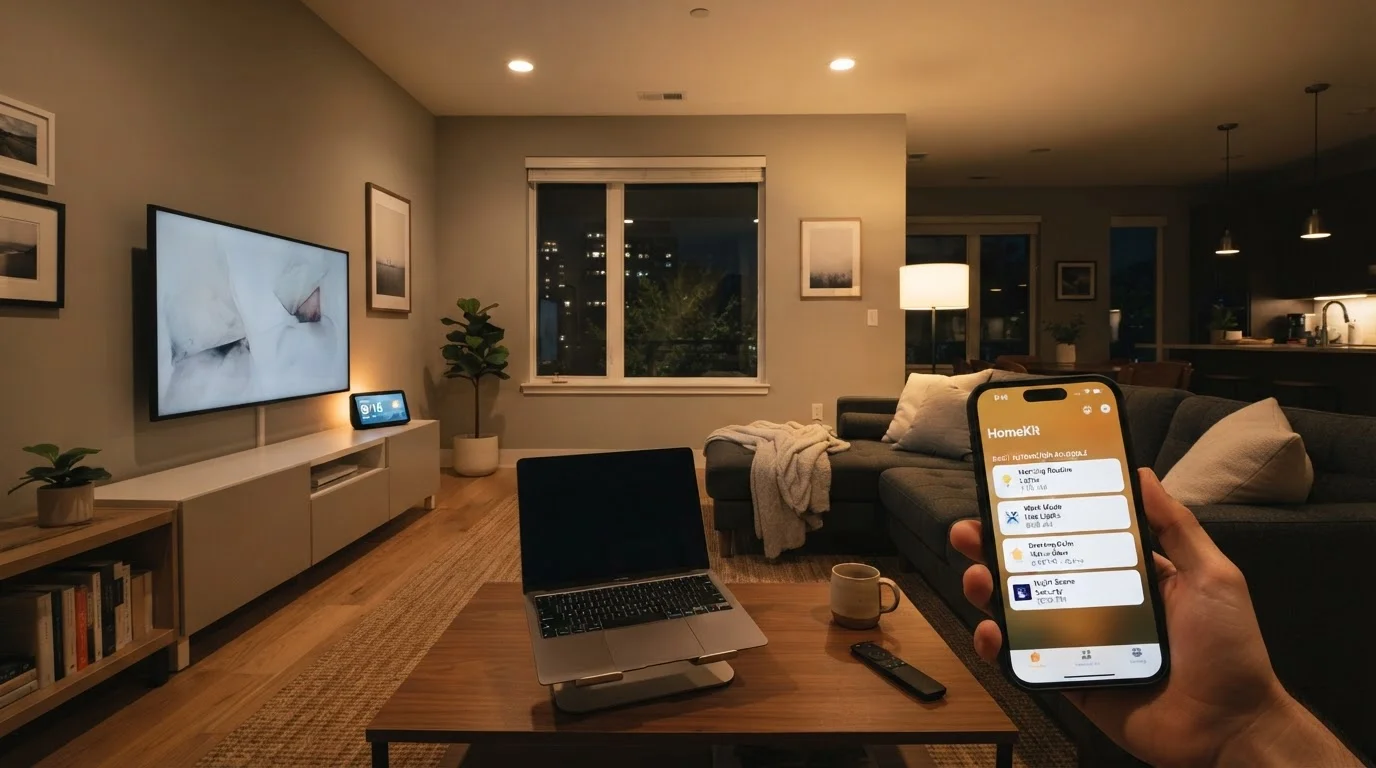
Photo: TheSearchHound.com | One Stop Answer To All Your Questions editorial
Key Takeaways
- Automating lighting, climate, and appliances on schedules reduces energy waste without requiring manual effort.
- Away-mode routines can consolidate multiple shut-off tasks into a single trigger, saving time each time you leave.
- Sunrise and sunset-based triggers adjust your home environment automatically as daylight naturally changes.
- Grouping devices into scenes lets you shift from one home 'state' to another with a single command.
- Even modest automation setups-a few well-chosen routines-deliver measurable convenience and efficiency gains.
Why Routines Are the Real Power of a Smart Home
Smart devices are useful on their own, but they become genuinely powerful when linked together into routines - automated sequences that respond to time, location, or sensor input without any manual action. If you're just getting started, our beginner's guide to smart home setup walks through which devices to add first. For a quick refresher on terms like scene, trigger, and automation, the smart home terminology reference is a practical starting point.
The routines below are platform-agnostic - the underlying logic applies whether you're using a voice assistant ecosystem, a dedicated hub, or a manufacturer's app. Focus on the concept, then map it to the tools you already own.
The Morning Routine: Light, Heat, and Coffee on a Schedule
A morning routine groups together the first actions your home takes each day. A typical setup might gradually raise smart bulb brightness in the bedroom 20-30 minutes before a set wake time, adjust the thermostat to a comfortable daytime temperature, and activate a smart plug connected to a coffee maker - all triggered by a single scheduled time.
The energy benefit comes from precision: the thermostat isn't heating the whole house through the night; it ramps up only when occupants need warmth. The convenience benefit is equally concrete - you reduce the number of switches, dials, and apps you interact with before your first cup of coffee.
Grouping morning tasks into one scheduled routine eliminates several small but friction-filled daily interactions.
The Away-Mode Routine: One Trigger, Multiple Shut-Offs
Leaving the house is a common source of wasted energy - lights left on, the thermostat still set for occupied comfort, a fan running in an empty room. An away-mode routine consolidates all of these into a single action, whether that's tapping a button, saying a voice command, or using your phone's location to trigger it automatically as you drive away.
A well-built away routine might turn off all lights, set the thermostat to an energy-saving setback temperature, lock the front door, and arm a security system. Location-based triggers (often called geofencing) can do this without any manual input at all - though it's worth testing the reliability of geofencing on your specific platform before relying on it completely.
A single away-mode trigger can replace five or more manual shut-off steps every time you leave home.
Sunset and Sunrise Triggers: Letting Daylight Drive the Schedule
Fixed clock schedules work, but they drift out of sync with natural daylight across the seasons. Most smart home platforms can calculate local sunrise and sunset times and use them as dynamic triggers - so your outdoor lights turn on at dusk in December and in late June without any manual adjustment.
Inside, a sunset trigger can also close motorized blinds to reduce heat gain in summer or signal the home to shift from natural to artificial light automatically. This kind of routine is particularly low-maintenance once configured: it self-adjusts year-round and requires no ongoing attention.
Sunset-based triggers self-adjust across seasons, eliminating the need to manually update lighting schedules.
The Bedtime Scene: Winding Down Without Walking the House
A bedtime routine typically reverses the morning one. It might dim lights throughout the home over a 15-minute period, lower the thermostat to a cooler sleep temperature, turn off any remaining devices on smart plugs, and lock exterior doors - all from a single command or a set time.
The energy case for a consistent bedtime routine is straightforward: devices and climate systems that run through the night when they don't need to are a common source of household energy waste. Automating the shutdown removes the reliance on memory, which is exactly where manual habits tend to fail.
Automating the bedtime shutdown removes reliance on memory - where manual energy-saving habits most often fail.
Sensor-Based Routines: Responding to What's Actually Happening
Time-based routines are easy to configure, but sensor-based routines are more responsive. A motion sensor in a hallway or bathroom can turn lights on when someone enters and off after a set period of inactivity - eliminating the most common cause of lights being left on unnecessarily. A door or window contact sensor can trigger the thermostat to pause heating or cooling when a window is opened, preventing conditioned air from escaping.
These routines work best in spaces with predictable, high-traffic patterns. They do require a small amount of tuning - adjusting the inactivity timeout, for example - but once dialed in, they operate without any user input at all.
Motion and contact sensors make routines reactive to real conditions rather than just predetermined schedules.
Appliance Scheduling: Shifting Energy Use to Off-Peak Hours
Smart plugs and, where available, smart appliances with built-in scheduling can shift energy-intensive tasks - running a dishwasher, charging devices, or operating a dehumidifier - to overnight hours when grid demand is lower. In areas with time-of-use electricity pricing, this can meaningfully reduce energy costs over time, though the actual impact depends on local utility rates and individual usage patterns.
Even without time-of-use pricing, scheduling appliances to run during specific windows keeps energy consumption more predictable and prevents multiple high-draw devices from running simultaneously - which can affect performance and, in older homes, circuit load.
Scheduling appliances during off-peak hours can help manage energy costs in areas with time-of-use pricing.
Putting It All Together
The routines above are most effective when they reflect how your household actually lives - not an idealized schedule. Start with one or two, observe how they run for a week, and refine the timing or conditions before adding more. Over-automating too quickly often leads to routines that misfire and get switched off entirely.
Start With One Routine, Then Build
If energy efficiency is a primary goal, pairing these routines with a capable thermostat is worth examining closely. Our look at what smart thermostats can and can't do for your energy bill offers a grounded view of where climate automation genuinely helps and where expectations should be tempered. For those building a setup on a tighter budget, building a smart home without locking into one ecosystem covers how to stay flexible across platforms. And for the ongoing upkeep that keeps any home running well, the home maintenance hub is a reliable resource.
The content on this site is provided for informational purposes only and should not be considered a substitute for professional advice. While we strive to provide accurate and up-to-date information, we make no guarantees regarding its completeness or accuracy. Always consult a qualified professional for advice specific to your circumstances before making any decisions.