
Smart Speaker vs. Smart Display: Choosing the Right Hub for Your Kitchen

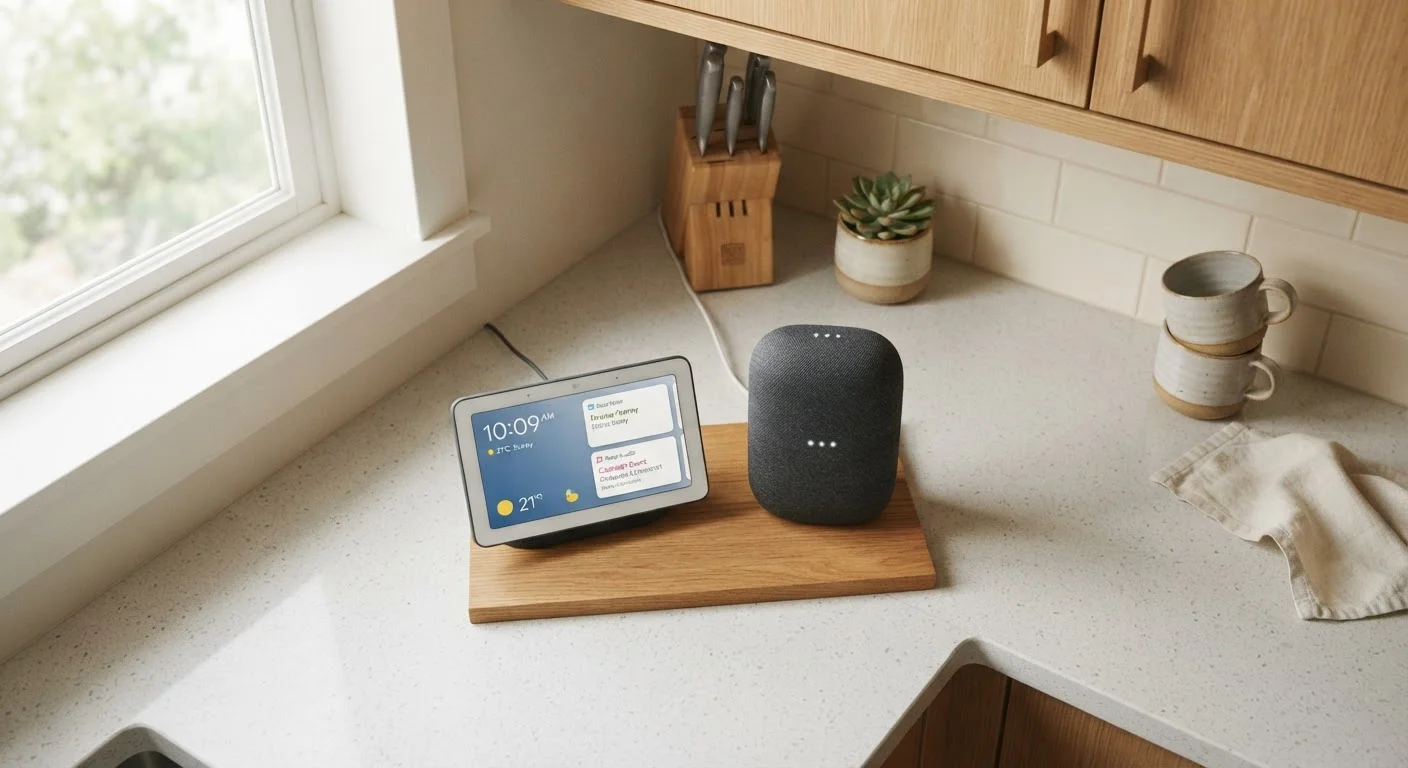
Photo: TheSearchHound.com | One Stop Answer To All Your Questions editorial
Key Takeaways
- Smart speakers handle voice commands, timers, and music well - no screen required.
- Smart displays add a touchscreen for recipes, video calls, and viewing camera feeds.
- Both devices work with most major voice assistants and smart home ecosystems.
- Smart displays typically cost more and occupy a larger footprint on the counter.
- Your kitchen workflow - not marketing specs - should drive the decision.
What Each Device Actually Does
Both smart speakers and smart displays are voice-assistant-powered devices designed to sit in a central spot - and the kitchen is one of the most popular locations for either. They share a core engine: a built-in microphone array listens for a wake word, interprets your request, and responds. They can set timers, play music, answer questions, control smart lights and thermostats, and trigger automations.
The critical difference is the screen. A smart speaker is audio-only - it speaks answers back to you. A smart display pairs that same voice capability with a touchscreen, ranging from roughly 5 to 15 inches depending on the model, that can show visual content: recipe steps, weather forecasts, video call participants, or a live feed from a doorbell camera.
To understand how these devices fit into a broader connected home, see how smart home ecosystems connect devices. For readers just starting out, building your first smart home setup is a useful complement to this comparison.
Head-to-Head: How They Compare
Pricing, size, and feature depth vary across the category, but the table below reflects general patterns you can expect when shopping.
| Criterion | Smart Speaker | Smart Display |
|---|---|---|
| Screen | None - audio only | Touchscreen (5"-15") |
| Typical price range | Lower entry cost | Moderate to higher cost |
| Counter footprint | Compact | Larger, varies by screen size |
| Recipe guidance | Voice read-aloud only | Step-by-step on screen |
| Video calls | Audio only | Full video supported |
| Security camera viewing | Not supported | Supported on screen |
| Audio quality focus | Often a priority | Secondary to display |
| Voice assistant support | All major platforms | All major platforms |
One dimension the table can't fully capture is audio quality. Smart speakers, particularly larger models, often prioritize sound performance - useful if the kitchen is also where you stream podcasts or music for long stretches. Smart displays tend to allocate more engineering budget to the screen, so audio is generally adequate rather than impressive.
Where Each Device Has a Clear Edge
Smart speakers win on simplicity. If your kitchen interactions are primarily verbal - "set a ten-minute timer," "add milk to my shopping list," "turn off the lights" - a speaker handles all of that without requiring any visual attention. That matters when your hands are covered in flour or you're monitoring something on the stove. The smaller physical profile also fits on tighter counters without much sacrifice.
Smart displays win on richness. Following a multi-step recipe is genuinely easier when instructions appear on screen and advance with a tap, rather than asking you to remember what was just read aloud. Video calls with family while cooking, viewing a front-door camera when the doorbell rings, or checking a weather radar at a glance - these interactions are awkward or impossible on a speaker and natural on a display.
~35%
U.S. households with a smart speaker
According to Pew Research Center data, roughly one in three American households owned a smart speaker as of recent surveys.
2x
Typical price premium for smart displays
Smart displays in comparable size categories generally cost roughly twice as much as entry-level smart speakers from the same ecosystem.
For a deeper look at where voice control genuinely helps and where it falls short, this guide to voice assistants in the home breaks it down honestly.
Ecosystem Fit and Practical Considerations
Both device types are available across the major voice assistant platforms. Your existing ecosystem - or the one you plan to build around - matters more than the speaker-versus-display distinction itself. If your household is already invested in one assistant's ecosystem, it generally makes sense to stay within it for either device type. Unfamiliar with terms like "ecosystem" or "routine"? A plain-language smart home glossary can help clarify the landscape before you commit.
Budget-conscious shoppers should also consider that smart displays depreciate similarly to tablets - software support windows vary by manufacturer. If long-term flexibility matters, building a smart home without locking into one ecosystem offers practical strategies.
A Note on Software Support Windows
Privacy is a shared concern for both device types. Both use always-on microphones, and displays may include a camera. Most models include physical mute buttons and camera shutters - worth using when you want silence.
The content on this site is provided for informational purposes only and should not be considered a substitute for professional advice. While we strive to provide accurate and up-to-date information, we make no guarantees regarding its completeness or accuracy. Always consult a qualified professional for advice specific to your circumstances before making any decisions.